Reading an Elevation Profile: Gradients, Climbs and Descents Explained
What the lines, colours and numbers of an elevation profile mean — ascent, gradient, climbs and descents — and how to judge a ride before you go.
Quick answer
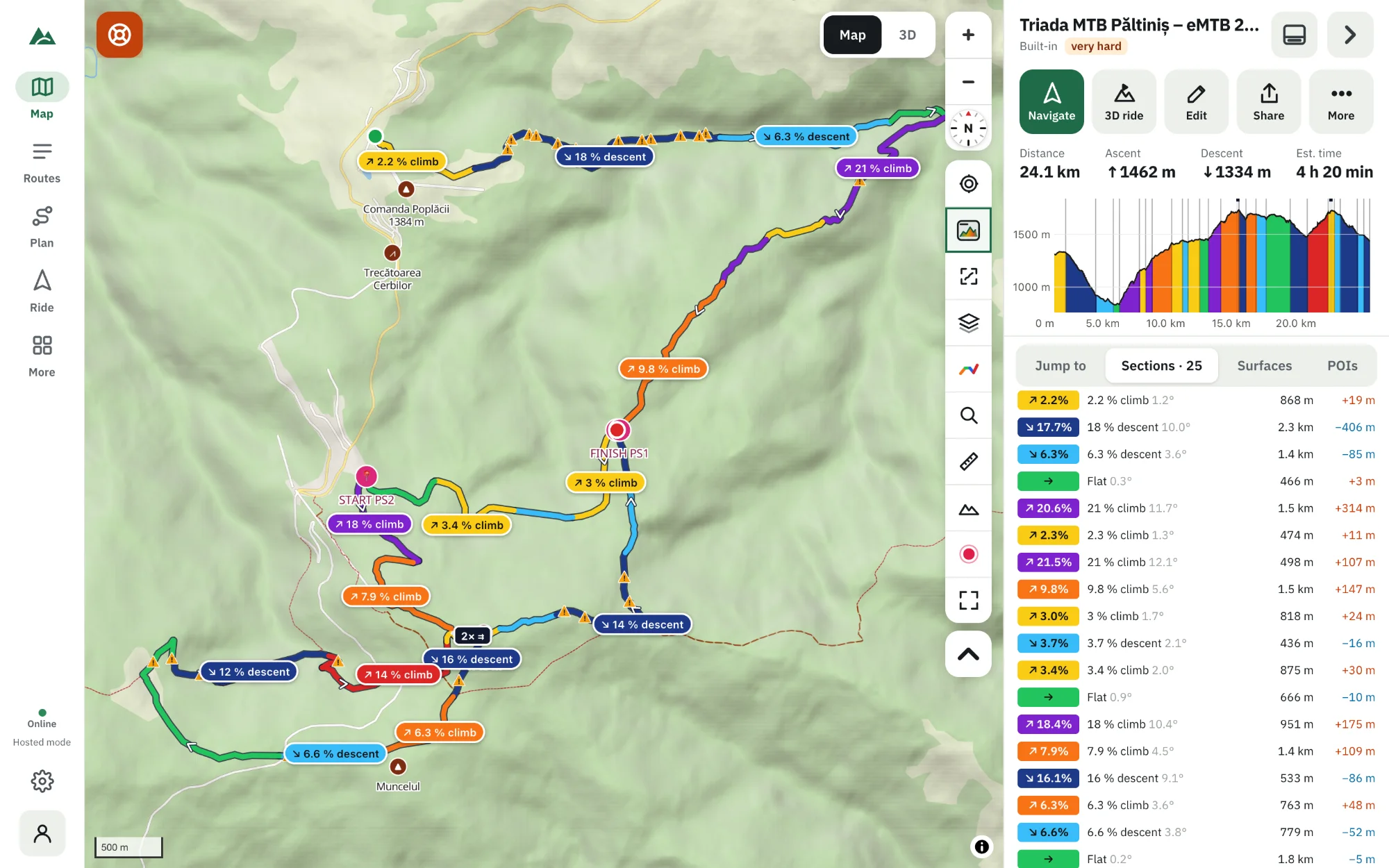
An elevation profile shows height (vertical axis) against distance (horizontal axis). The steeper the line, the steeper the trail; the colour tells you the gradient in percent — height gained per 100 m ridden. Read it in three passes — the totals (distance, ascent, highest point), the shape (where the big climbs and descents are) and the details (the steepest 100–300 m) — and you know how hard the ride is and where it hurts.
Key takeaways
- The vertical axis is stretched — a profile always looks steeper than the trail really is.
- Gradient = height change ÷ distance × 100; 10 % means 10 m up for every 100 m ridden.
- Total ascent tells you the effort; the maximum gradient tells you whether you can ride it.
- Short, steep pitches matter more on a mountain bike than the average gradient of a climb.
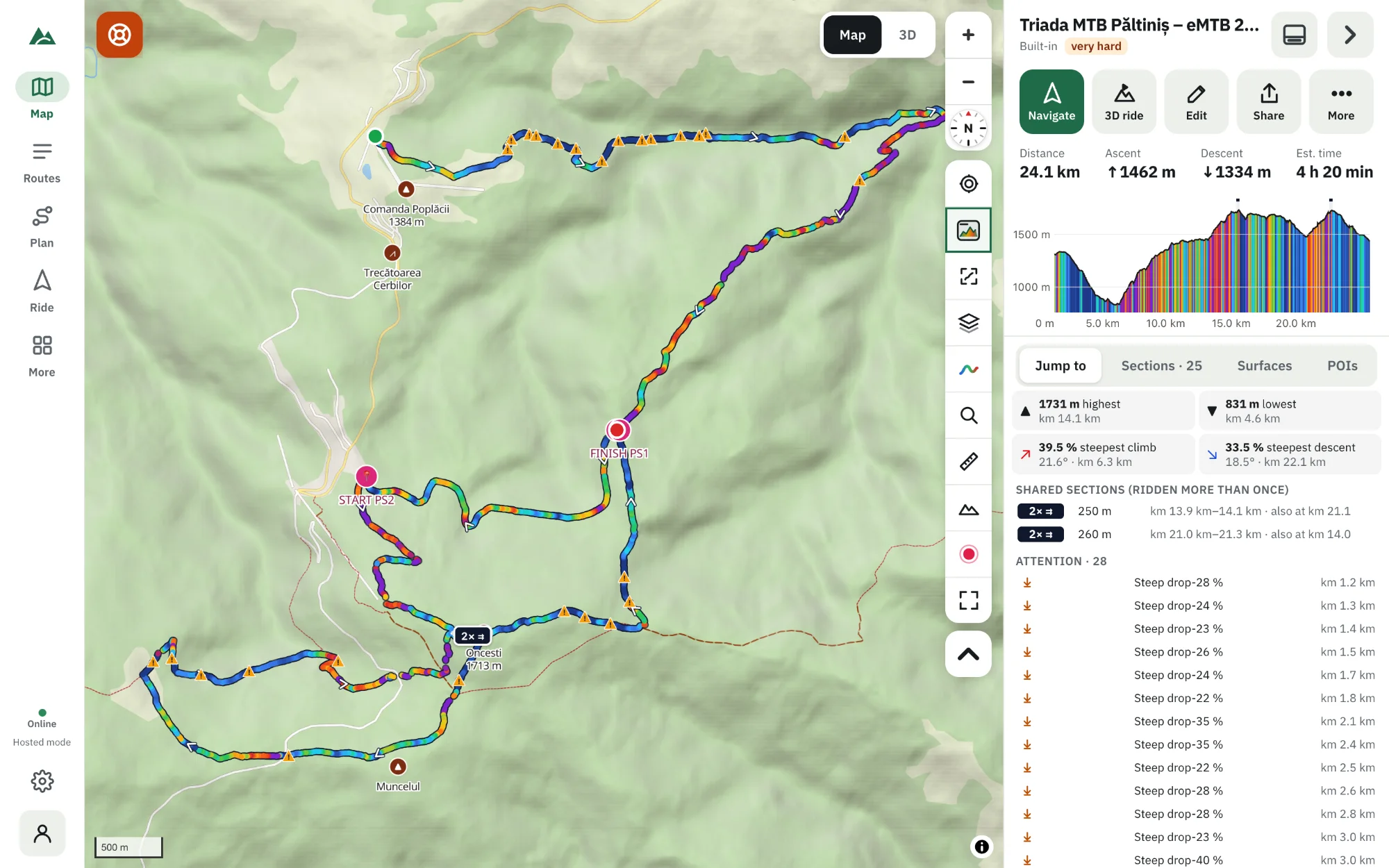
An elevation profile looks simple — a line that goes up and down — but it holds almost everything you need to judge a ride: how much climbing there is, where it comes, how steep it gets and how long you get to recover. This guide explains every part of it, using TrailScout's profile as the example.
The two axes
- Horizontal: distance along the route, from the start (left) to the finish (right), in kilometres or miles.
- Vertical: height above sea level, in metres or feet.
The vertical axis is stretched so the line fills the box. A 400 m (1,300 ft) climb over 30 km can look like a cliff. Never judge steepness by the angle of the line — read the gradient instead.
Gradient: the number that matters
The gradient is the height change divided by the distance, in percent:
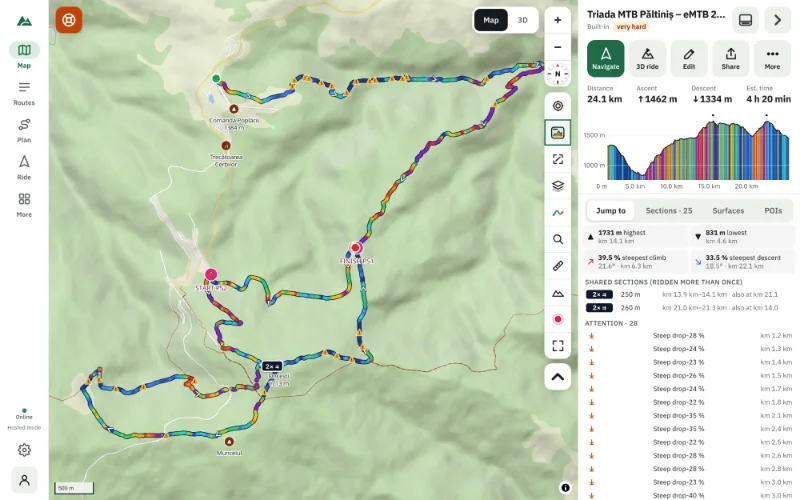
TrailScout colours the line by gradient, so you can see steepness without doing maths. The seven classes go from steep descent (below −8 %) through flat (−2 to 2 %) to wall (above 15 %). The full scale is in how steep is too steep.
Hover over the profile (or drag a finger along it) and the exact height, distance and gradient at that point appear, while a marker shows the spot on the map.
The totals: how hard is it?
| Number | What it tells you |
|---|---|
| Distance | how long the ride is |
| Ascent | all the climbing added up — the best single measure of effort |
| Descent | all the downhill (equal to ascent on a loop) |
| Highest / lowest point | how much altitude, how cold it may be on top |
| Max gradient | whether everything can be ridden |
| Est. time | a time from your rider model: weight, power, surfaces, gradient |
A useful rule of thumb for mountain biking: every 100 m (330 ft) of ascent costs about as much as 1–1.5 km of flat riding — more on loose trail. TrailScout's Difficulty rating combines ascent, distance and steepness for you; see how to rate a route's difficulty.
The shape: where does it hurt?
Look at the profile as a whole before the numbers:
- One big mountain in the middle: a long climb, a long descent — pace yourself on the way up.
- A saw-tooth: many short climbs. The total ascent can be high even if no climb looks big, and there is little time to recover.
- A climb at the end: the hardest kind of route. Keep something in the legs.
- Flat first, steep last: the route may be better ridden the other way round — reverse it in the route builder and compare.
Sections: the profile in words
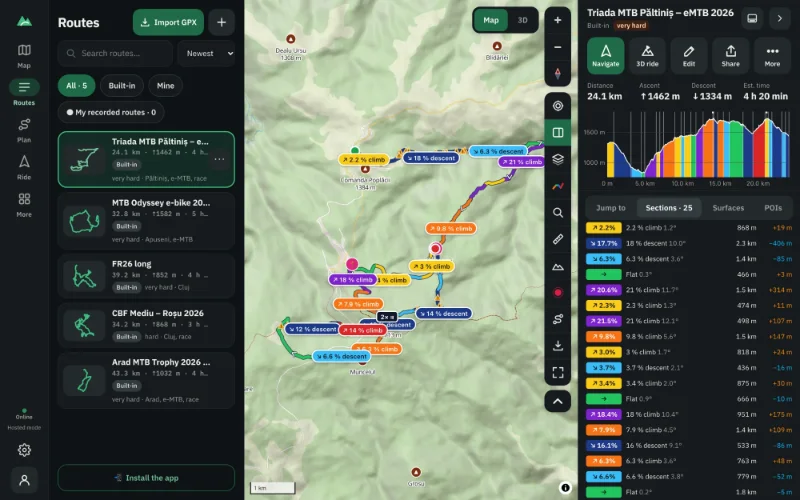
Switch the route colouring to Sections (key G cycles the colourings) and TrailScout groups the route into climbs, descents and flat parts, each with its length, height difference and average gradient — “2.4 km climb, +190 m, 8 %”. The Sections tab lists them in order; tap one to zoom to it.
The details: steep pitches
A climb that averages 6 % can hide 50 m at 20 %. On a mountain bike these short pitches decide whether you ride or push. Use Jump to → steepest climb to see the worst one, and the Detailed colouring to see every stretch at its own gradient.
Frequently asked questions
What is a good elevation gain for a mountain bike ride?
For many riders, 500–800 m (1,600–2,600 ft) is a solid half-day ride, 1,000–1,500 m (3,300–4,900 ft) a big day. Fitness, surface and heat change this a lot — use the estimated time as your guide.
Why does the profile look so steep?
Because the vertical axis is stretched to fill the box. Read the gradient numbers and colours, not the angle of the line.
What is the difference between ascent and elevation gain?
Ascent filters out rises under 3 m to remove GPS noise; elevation gain counts every rise. On a clean route they are close; on a noisy recording elevation gain can be much higher.
What do the “2×” bands on the profile mean?
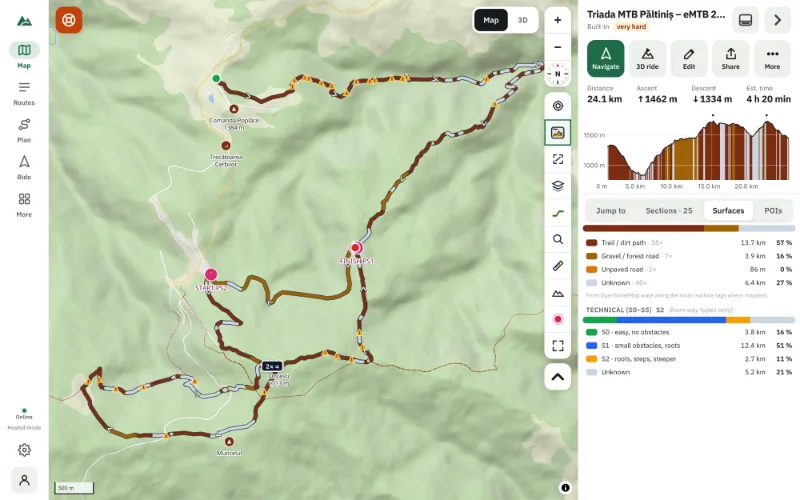
They mark shared sections: stretches you ride more than once, such as the access road of an out-and-back route.
Try it on your next ride
TrailScout is free, needs no account and keeps your routes on your device. It runs in the browser on phones, tablets and computers — and works offline.
Open TrailScout →