Preview a Bike Route in 3D Before You Ride It
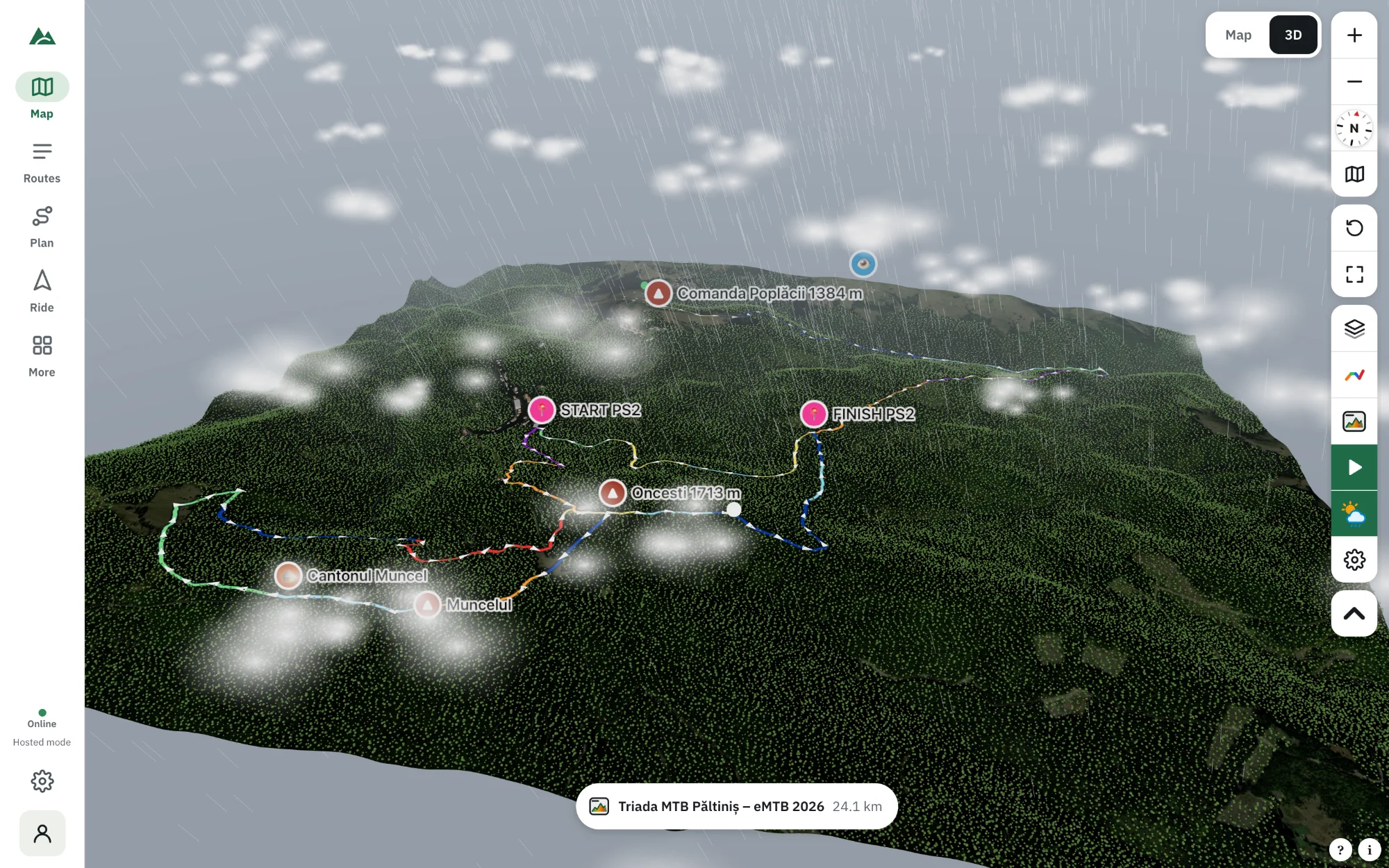
See your route on real 3D terrain with satellite imagery, forests and buildings, the sun where it will be on the day and the forecast weather.
Quick answer
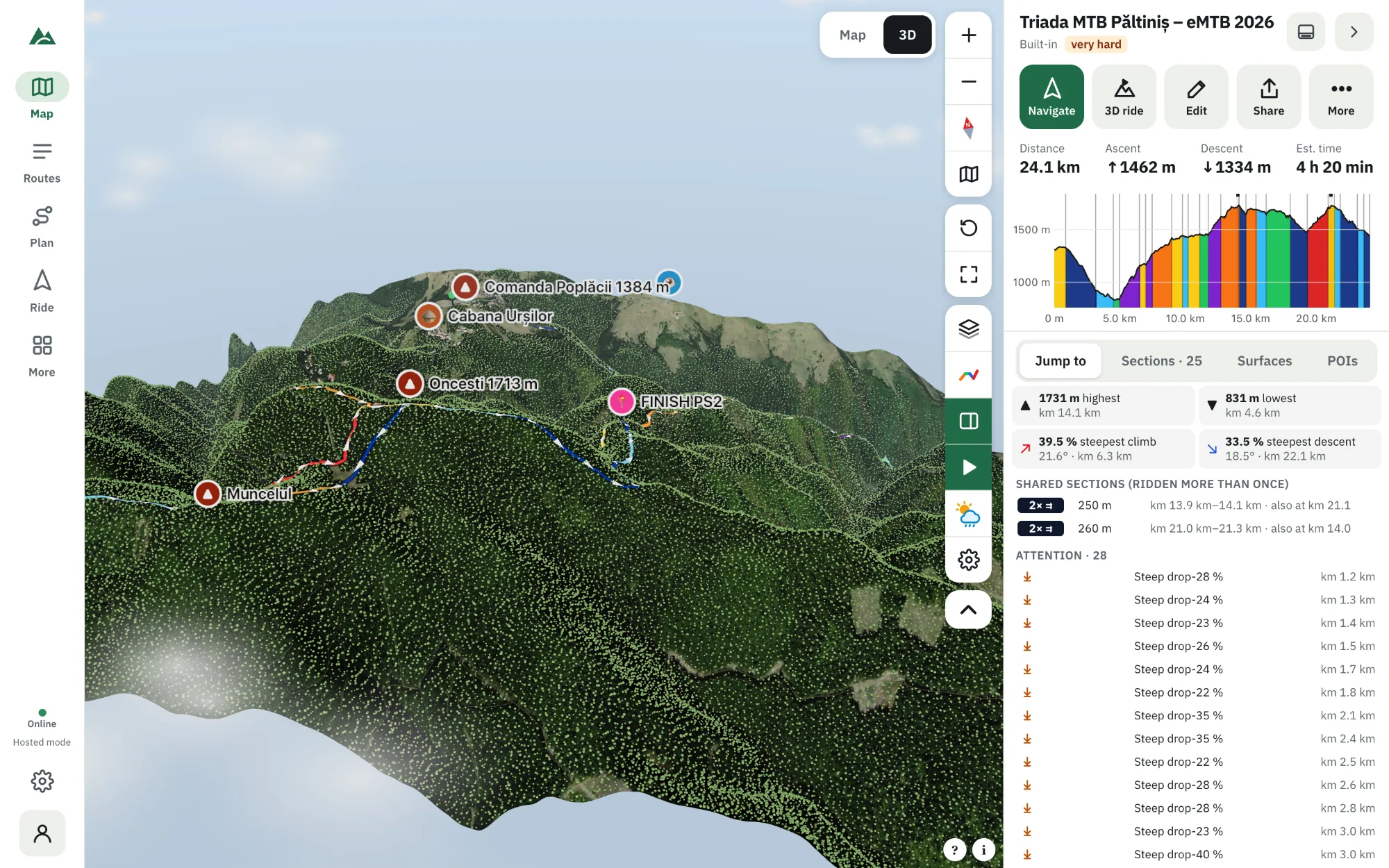
To preview a route in 3D, open it in TrailScout and press the 3D tab (key V). A 3D model of the area is built in a few seconds — terrain from an elevation model, satellite or topographic imagery draped over it, forests as trees, buildings at their height, rivers and lakes — with your route as a ribbon coloured by gradient. Drag to move, right-drag or two fingers to rotate and tilt, scroll or pinch to zoom.
Key takeaways
- The 3D view runs in the browser, on laptops and phones with WebGL 2.
- Imagery can be satellite, topographic, cycling map or relief colours.
- The sun is where it will really be for the place, date and time — shadows included.
- Weather from the forecast (clouds, rain, fog, wind) can be shown in 3D.
Maps are flat; mountains are not. Contour lines and profiles take practice to read, but a 3D view of the route is understood in a second: the big climb is that ridge, the descent drops into that valley, the last kilometres run through that forest. Here is how to get one for any route.
How to open a route in 3D
- Open the route in TrailScout — import a GPX file, draw it, or pick one from Routes.
- Press the 3D tab at the top of the map, or the key V.
- Wait a few seconds the first time: the terrain, imagery and map details (trees, roads, water, buildings) load and the scene is built.
- Move around: drag to move, right-drag or two fingers to rotate and tilt, scroll or pinch to zoom, R to reset the view.
Hovering the elevation profile moves a marker in 3D, and the Jump to shortcuts fly the camera to the highest point, the steepest climb or the biggest descent.
What you see
- Terrain from an elevation model, with the height stretch adjustable (Height ×).
- Imagery draped on it: satellite, topographic, cycling map, or relief colours that work offline.
- Forests as 3D trees, buildings at their real height, roads, tracks and paths lying exactly on the ground, rivers and lakes.
- Your route as a ribbon, coloured like on the map (Detailed, Sections or Plain), with direction arrows and start and finish pins.
- Sharp ground around the point you look at: finer terrain and high-resolution imagery, with roads and trails drawn as real surfaces.
- Points of interest — peaks, huts, viewpoints — as labels standing on the terrain.
Light, time of day and weather
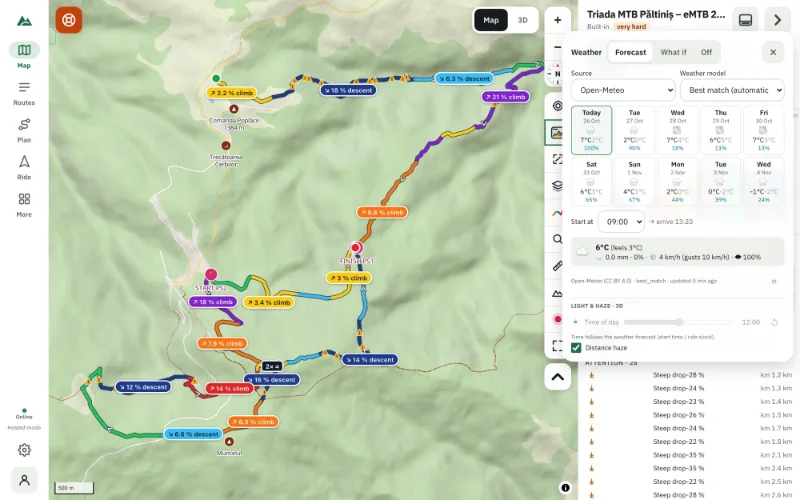
Under ☁ Weather set the time of day: the sun is placed where it really will be for that place and date, with shadows. That shows which side of the valley is in shade in the morning and whether you'll finish in the dark.
With a forecast loaded, the 3D scene shows the weather at the time you reach each part of the route — clouds and their shadows, rain, snow, fog, wind in the trees. “What if” presets (sunny, cloudy, rain, storm, snow, fog) work offline. See weather along your route.
Make it fast on any device
Under ⚙ Graphics you can change the quality (low, medium, high), the tree density, shadows, clouds and other effects. Auto quality lowers the resolution while the view moves on slower computers and sharpens it again when it stops. The 3D view needs a graphics chip with WebGL 2 — every recent phone and computer has one.
From preview to virtual ride
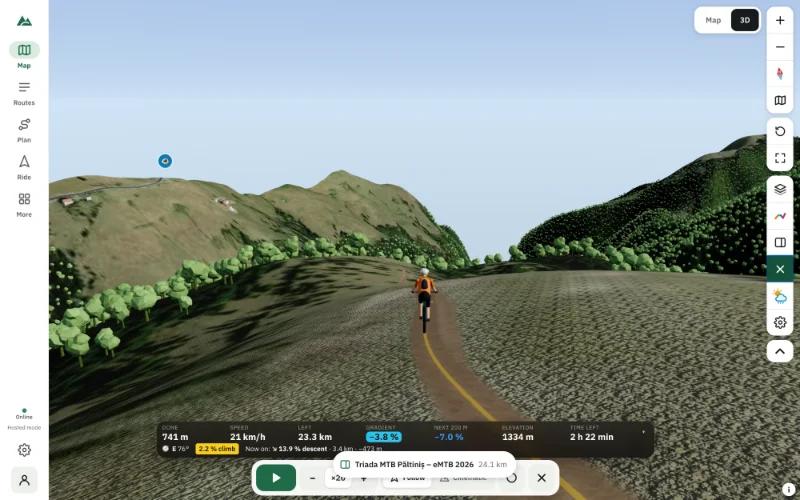
Press Ride (or Space) and a rider sets off along the route at the speed your legs would manage, with a follow camera or TV-style cinematic shots. Read fly through your route: a virtual ride.
3D offline
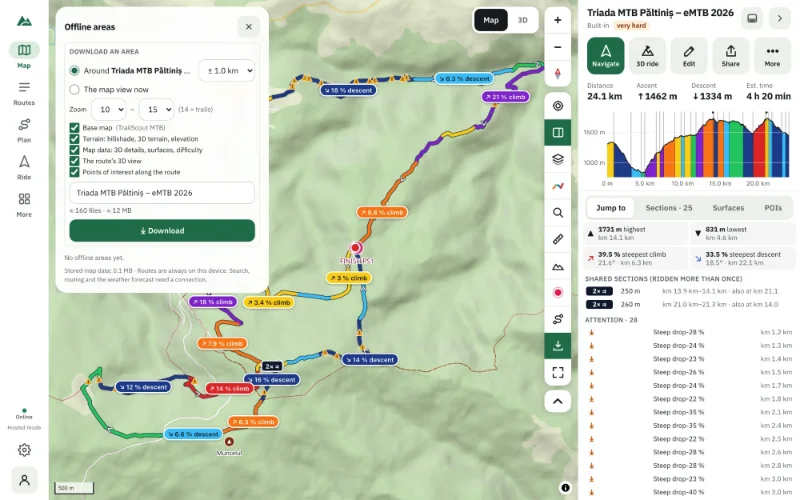
An offline area can include the route's 3D view: terrain, imagery and details exactly as the scene needs them, so it opens without signal.
Frequently asked questions
Do I need to install anything to see a route in 3D?
No. TrailScout runs in the browser. You can install it as an app from the browser if you like, but it isn't required.
Why does the 3D view say “software rendering”?
The browser isn't using the graphics chip. Turn on “Use graphics acceleration when available” in the browser settings and restart it.
Can I see the route in 3D without the imagery?
Yes — choose relief colours as the imagery. They are computed from the terrain and need no download.
Is the 3D view the same as the tilted map?
No. Relief (tilted map) tilts the normal 2D map over the terrain. The 3D tab builds a full scene with trees, buildings, lighting and the ride mode.
Try it on your next ride
TrailScout is free, needs no account and keeps your routes on your device. It runs in the browser on phones, tablets and computers — and works offline.
Open TrailScout →