How to Find Every Climb on a Route Before You Ride It
List every climb and descent of a bike route with its length, height and gradient, see the climb categories, and get warned before each one while you ride.
Quick answer
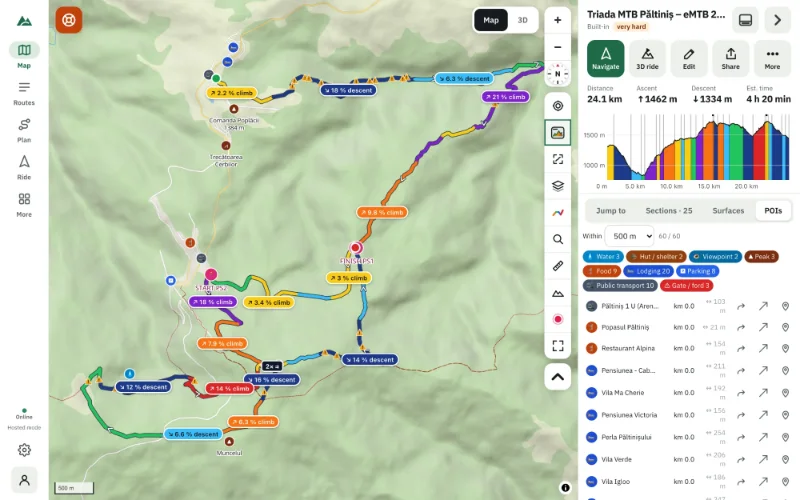
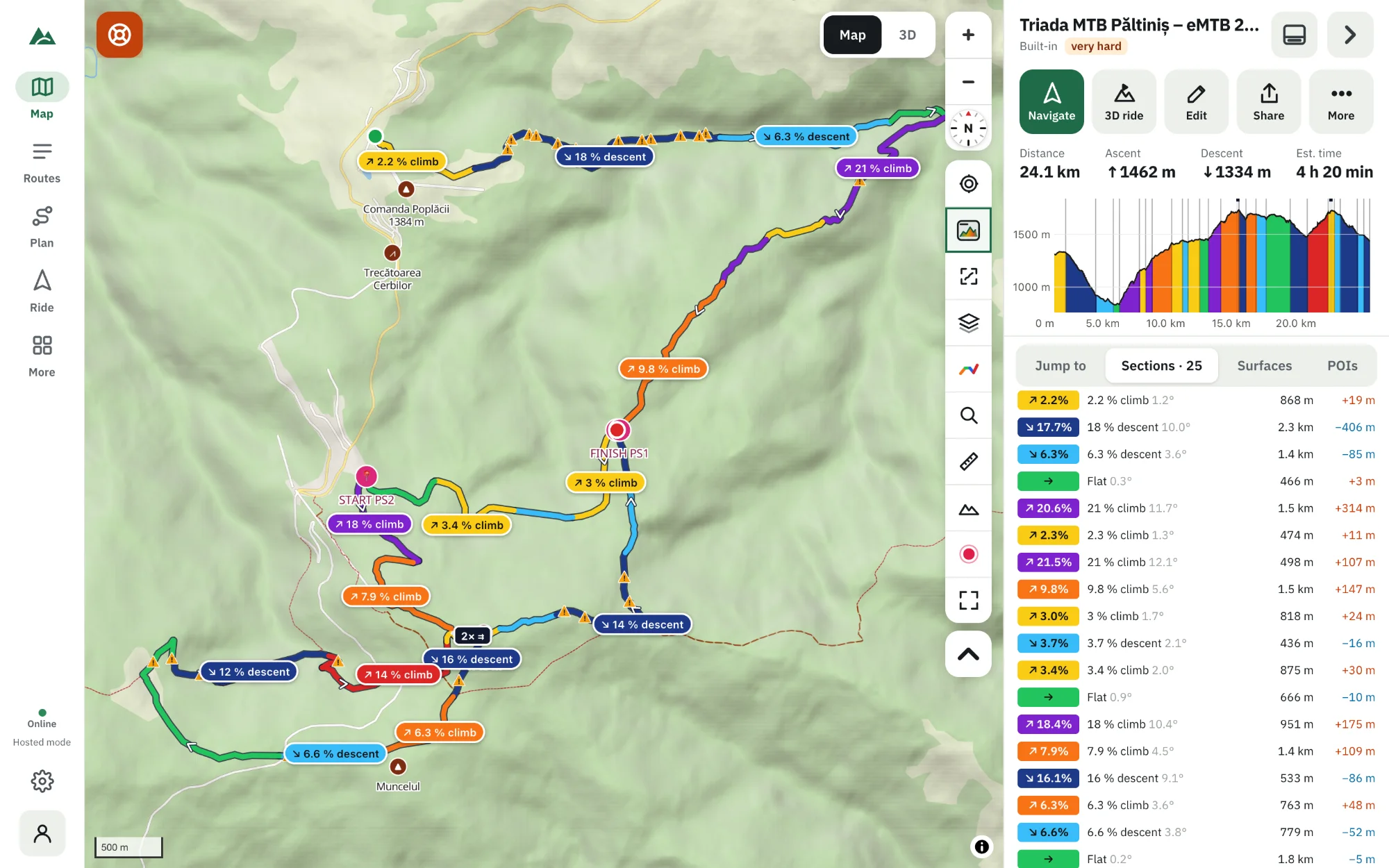
Open the route in TrailScout and switch the route colouring to Sections — the route is split into climbs, descents and flat parts, each with its length, height gain and average gradient, and the Sections tab lists them in order. Jump to shows the five biggest climbs and the steepest one; long climbs get a category from Cat 4 to HC. While riding, Bike GPS and the 3D ride warn you before every climb.
Key takeaways
- A climb starts at a low point and ends at the highest point before the route drops back by more than 15 m (50 ft).
- Only climbs that gain at least 30 m (100 ft) are counted, so small bumps don't clutter the list.
- Climb categories: score = length (m) × average gradient (%) — Cat 4 from 8,000, HC from 80,000.
- Bike GPS speaks a warning before every climb and steep descent.
Knowing that a route has 1,200 m of climbing is useful. Knowing it comes as one 9 km climb at 7 % after km 20 — and then two short steep kicks before the finish — is what lets you plan food, water, pacing and bail-out points. Here is how to find every climb on a route.
How to list every climb on a route
- Open the route in TrailScout (import a GPX file or pick one from Routes).
- Press G (or the route-colouring button) until the colouring is Sections. The route on the map is now split into climbs, descents and flat parts, each labelled with its gradient.
- Open the Sections tab in the route panel: every section in order, with its length, height difference and average gradient.
- Tap a section to zoom the map (and the profile) to it.
- Open Jump to for the shortcuts: the five biggest climbs, the five biggest descents, the steepest climb and the highest point.
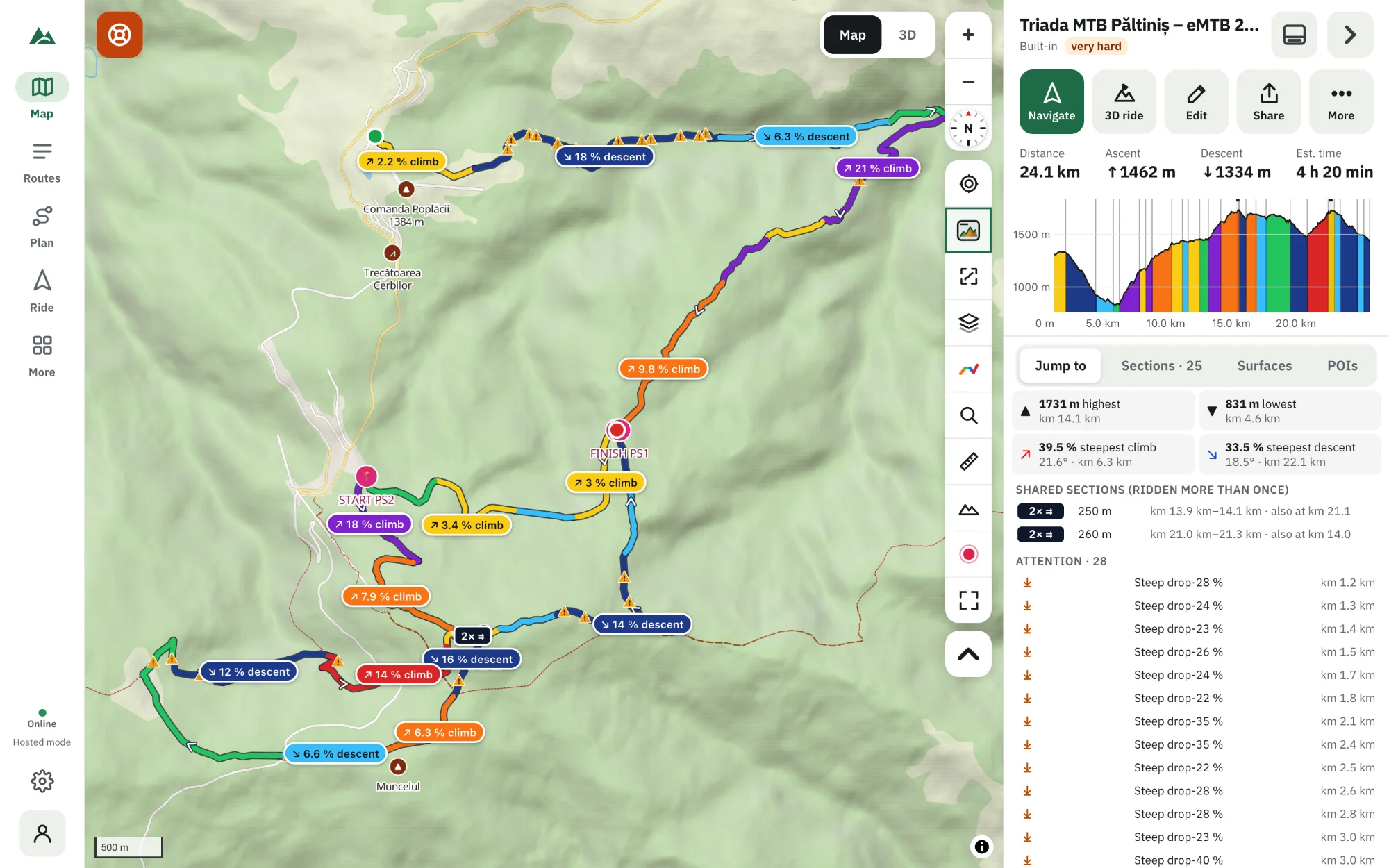
How a climb is detected
A climb starts at a low point and continues to the highest point reached before the route drops back by more than 15 m (50 ft). That way a short dip in the middle of a long climb doesn't split it in two. A climb counts only if it gains at least 30 m (100 ft). Descents work the same way, downwards.
The heights come from the GPX file or from the terrain model — if a recording is noisy, switch to Terrain first, or noise can create climbs that don't exist.
Climb categories: Cat 4 to HC
Long climbs get a category, the way road-race climbs do. The score is the climb's length in metres × its average gradient in percent:
| Category | Score from | Example |
|---|---|---|
| Cat 4 | 8,000 | 1 km at 8 %, or 2 km at 4 % |
| Cat 3 | 16,000 | 2 km at 8 % |
| Cat 2 | 32,000 | 4 km at 8 % |
| Cat 1 | 64,000 | 8 km at 8 % |
| HC (hors catégorie) | 80,000 | 10 km at 8 % |
Categories make it easy to compare routes: “two Cat 2 climbs” says more than “1,100 m of ascent”.
Climbs while you ride
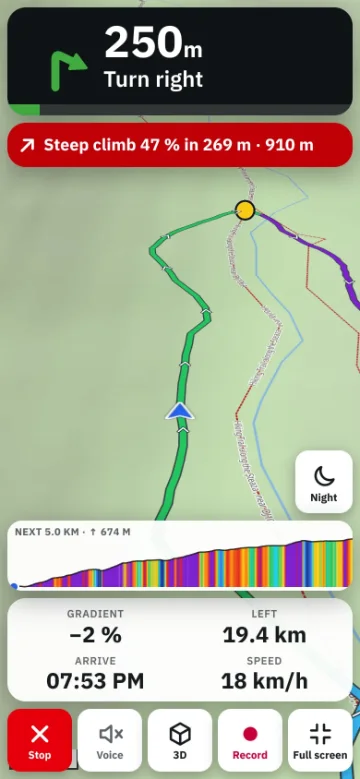
- Bike GPS shows the profile of the next 5 km and speaks a warning before climbs and steep descents — “Climb ahead: 8 percent for 1.2 kilometres”. See how to use your phone as a bike GPS.
- On the map, with your location on, the route panel shows “Next in 1.2 km: climb 8 % · 1.8 km · +140 m”.
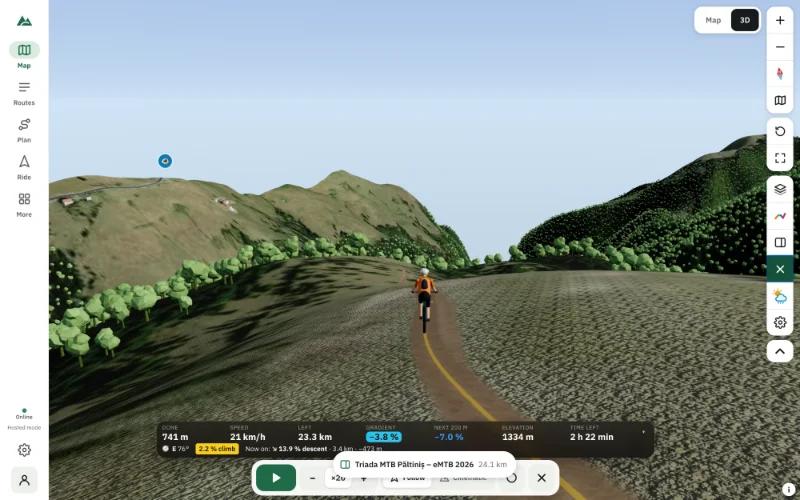
- In the 3D ride, a “Coming up” card appears before every climb and descent — a good way to ride the route virtually before the real thing.
Plan around the climbs
- Put water and food before the big climb — the POIs along the route show springs and shops.
- Check the weather at the top: the forecast is shown for the time you reach each part.
- If the hardest climb comes last, try the route reversed in the route builder and compare.
Frequently asked questions
What counts as a climb?
A rise of at least 30 m (100 ft) from a low point to a high point, without dropping back more than 15 m (50 ft) on the way.
What does HC mean?
Hors catégorie, “beyond category”: a climb harder than Cat 1. In TrailScout, length × average gradient of 80,000 or more — for example 10 km at 8 %.
Can I see the climbs of a route I haven't ridden yet?
Yes. Draw it, import its GPX or ask for A → B suggestions — the climbs are found the same way from the terrain model.
Why are there fewer climbs than bumps on the profile?
Short bumps under 30 m are not listed so the list stays useful. They still count in the total ascent and still show in the Detailed colouring.
Try it on your next ride
TrailScout is free, needs no account and keeps your routes on your device. It runs in the browser on phones, tablets and computers — and works offline.
Open TrailScout →