Turn Your Phone Into a Bike GPS With Voice Turn-by-Turn Directions
Follow any route turn by turn on your phone: big directions, voice prompts, the next 5 km profile, off-route warnings and night mode. Free, in the browser.
Quick answer
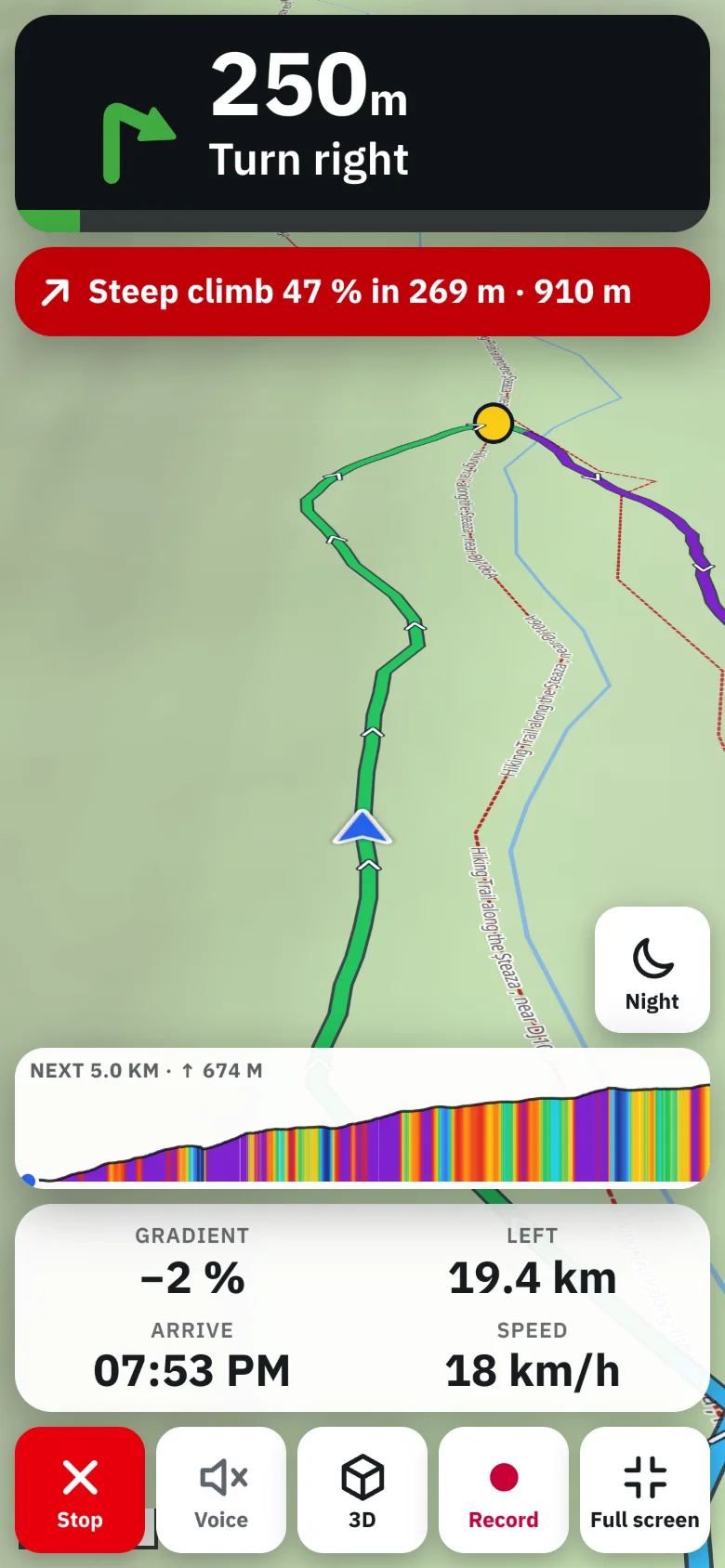
Open a route in TrailScout on your phone and press Navigate (Ride → Navigate). Put the phone in a handlebar mount: you get big directions with the distance to the next turn, voice prompts using the phone's built-in voices (they work offline), warnings before steep climbs and descents, the profile of the next 5 km and an alert with the way back when you leave the route. The screen stays on, and a night version switches itself on at dusk.
Key takeaways
- Any route can be navigated — imported GPX, drawn or A→B — no special format needed.
- Voice prompts use the voices built into the phone and work offline.
- Three map views: 3D (tilted, turns with you), heading up and north up.
- Start away from the route? Choose Go to the start, or join the route at its nearest point.
A dedicated bike computer is great — but the phone in your pocket has a bigger screen, a better map and is already with you. With a handlebar mount and TrailScout's Bike GPS, it becomes a turn-by-turn navigator for any route.
How to start navigating
- Open the route in TrailScout on your phone (it needs the hosted app over https for location).
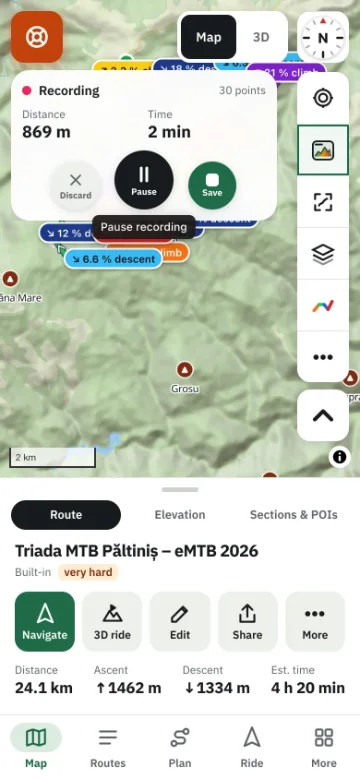
- Press Ride → Navigate, or Navigate in the route panel (key N on a keyboard).
- Allow location when the phone asks.
- If you're away from the start, choose:
- Go to the start — guidance to the start, then the whole route, or
- Follow route to end point — join the route at its nearest point and ride only the rest.
- Ride. The next turn, the distance to it and the map are always on screen.
What's on the screen
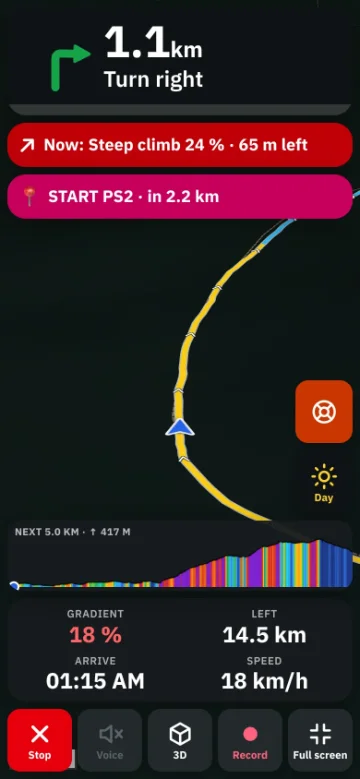
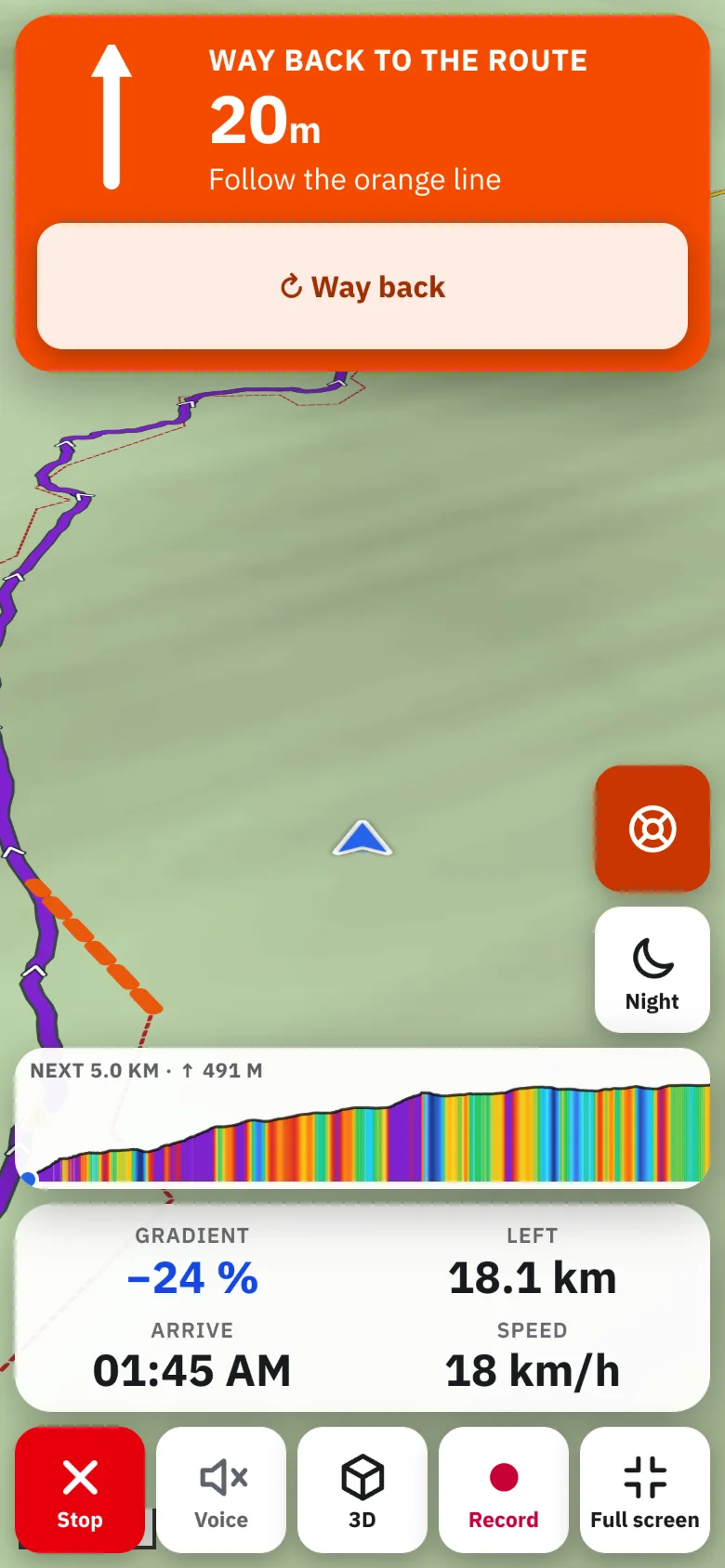
- The next turn — slight, turn, sharp or hairpin, left or right — with the distance to it, and the one after (“then…”).
- The map, in one of three views: 3D (tilted, the way ahead at the top, like a car navigator), heading up (flat, turning with you) or north up. Tap to switch.
- The profile of the next 5 km — tap for the whole route — with your position on it.
- Distance left, arrival time and speed.
- Waypoints ahead: “Spring in 400 m”.
Voice prompts
Turn on Voice and TrailScout speaks the turns — “In 200 metres, turn left, then bear right” — and what's ahead: “Steep descent ahead, 18 percent”, “Climb ahead: 7 percent for 1.4 kilometres”. It uses the voices built into your phone, in your units, and works without a connection. On Android phones you can also turn on vibration at turns.
Off the route
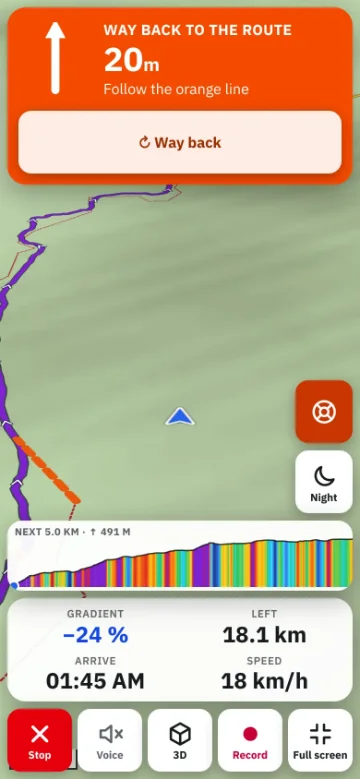
If you are more than about 40 m (130 ft) from the route for a few seconds, Bike GPS warns you, shows the distance back and an arrow pointing to the route. Way back finds a route back to the route ahead along trails (needs a connection; offline, follow the arrow). Read more in off-route alerts for cycling.
Long rides and night rides
- The screen stays on while navigating (phones pause GPS for web pages when locked).
- Battery saver: the map moves every few seconds, no animation, flat view — for long days. With Darker map, OLED screens use less power.
- Night version: dark map and screen, automatically from dusk to dawn where you are, or always. See keep your phone screen on while you navigate.
- Full screen hides the browser bars where the browser allows it.
Record while you navigate
Tick Record the ride while navigating in Settings → Navigate and your track is saved too. See how to record a bike ride. With an account, you can also share your live position with family.
Before you go
Download an offline area for the route — the map, terrain and points of interest then work without signal.
Frequently asked questions
Does Bike GPS work without mobile data?
Yes — GPS works without data, voice prompts use the phone's own voices, and an offline area provides the map. Only Way back and recalculating need a connection.
Can I use it on an iPhone?
Yes, in Safari or installed to the home screen. Vibration at turns isn't available on iPhone.
How much battery does it use?
Screen-on GPS navigation uses a lot on any phone. Use the battery saver, a darker map and a small power bank on long rides.
Can it navigate a GPX file from another app?
Yes. Import the GPX and press Navigate — turns are worked out from the route's shape.
Try it on your next ride
TrailScout is free, needs no account and keeps your routes on your device. It runs in the browser on phones, tablets and computers — and works offline.
Open TrailScout →