How to Record a Bike Ride on Your Phone — and Add Day 2 Later
Record your ride with your phone's GPS: pause, continue another day, see moving time, stops and top speed, compare with the planned route, export GPX.
Quick answer
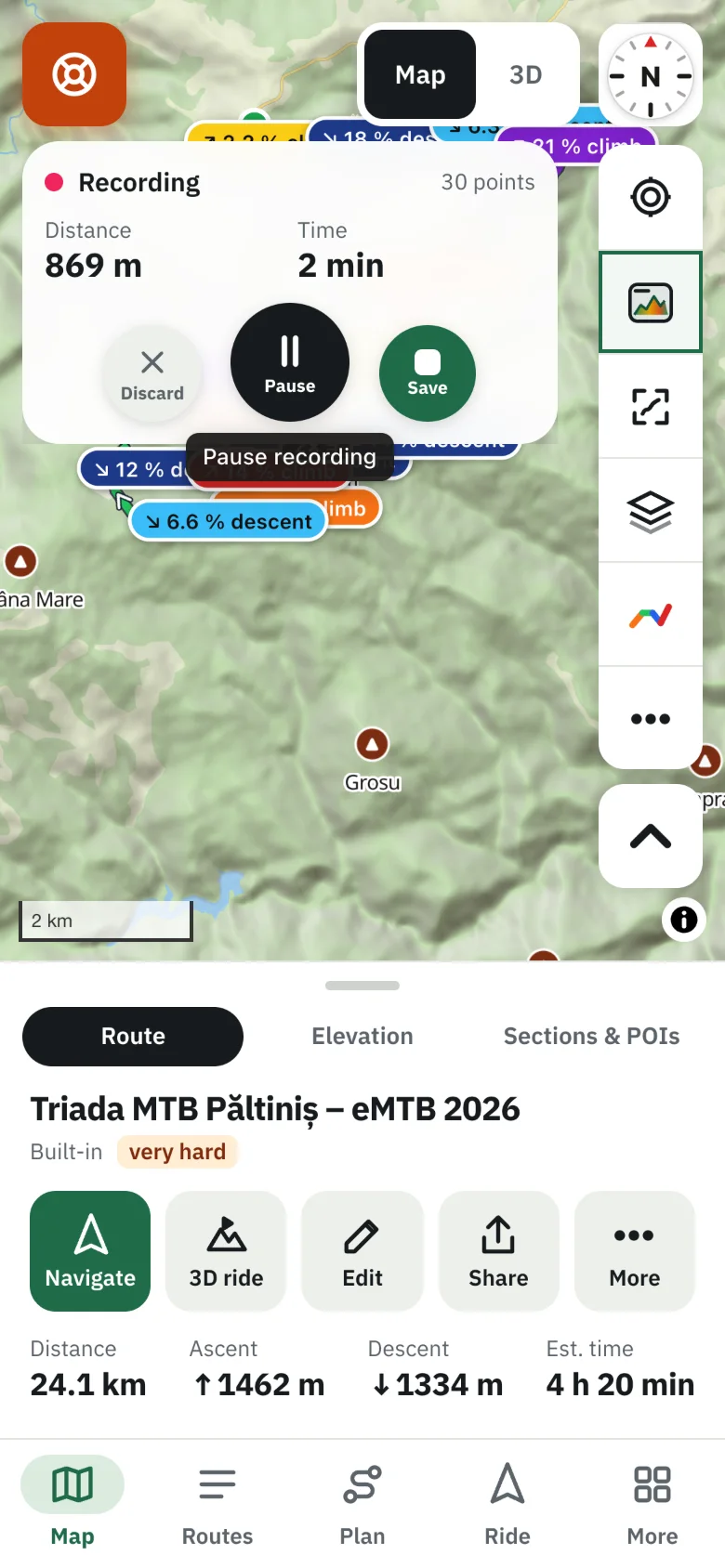
In TrailScout press Ride → Record a ride, wait for GPS ready and start. Keep the screen on — web pages lose GPS when the phone locks. Pause and resume any time; the recording survives a reload. Press Stop & save, name it, and it's in your library with its profile, climbs and a Ride tab — moving time, stops, average and top speed, climbing rate, and how it compares with the route you followed. For a multi-day trip, open the recording the next day and choose Add a day.
Key takeaways
- Recording uses GPS only — no mobile data needed.
- Ride stats: moving time, stops of 2 minutes or more, average, top speed over 20 s, climbing rate.
- Recordings made while following a route are compared with it.
- Add a day keeps a multi-day tour in one route with a stage per day.
Recording a ride gives you a GPX of where you went, the real numbers of the day, and a route you can ride again or share. TrailScout records in the browser — no extra app — and keeps the recording on your phone.
How to record a ride
- Open TrailScout on your phone (the hosted app, over https, so location works).
- Press Ride → Record a ride (or the ● button on the map).
- Wait for GPS ready (± 5 m) and press Start recording.
- Ride with the screen on — the app keeps it awake; phones pause GPS for web pages when locked. See keep your phone screen on.
- Pause at a café, Resume when you go on.
- Press Stop & save, give it a name. It's in your library under My recorded routes.
If the page reloads or the browser closes by accident, the unsaved recording is restored, paused, the next time you open TrailScout.
Recording while navigating? Tick Record the ride while navigating in Settings → Navigate and it starts with Bike GPS.
What you get after the ride
A recording is a route like any other: map, elevation profile, climbs, surfaces, 3D. Plus a Ride tab with the real numbers:
| Number | Meaning |
|---|---|
| Moving | time spent moving |
| Total time | from start to finish, stops included |
| Average | average moving speed |
| Top speed (20 s) | best speed held for 20 seconds (no GPS spikes) |
| Climbing | height gained per hour while climbing |
| Stops | every stop of 2 minutes or more, on the map |
| Compared with | the route you followed: on the route, route ridden, planned vs you |
Multi-day rides: add a day
For a tour, keep every day in one route:
- Record and save day 1.
- The next day, open that recording and choose Add a day (continue recording).
- Day 2 is added as a new stage. The Days tab shows each day's distance, time and climbing and the totals; the gap overnight adds nothing.
Rename days or merge two days into one from the list. Planning such a trip? See how to plan a multi-day bikepacking trip.
Share and export
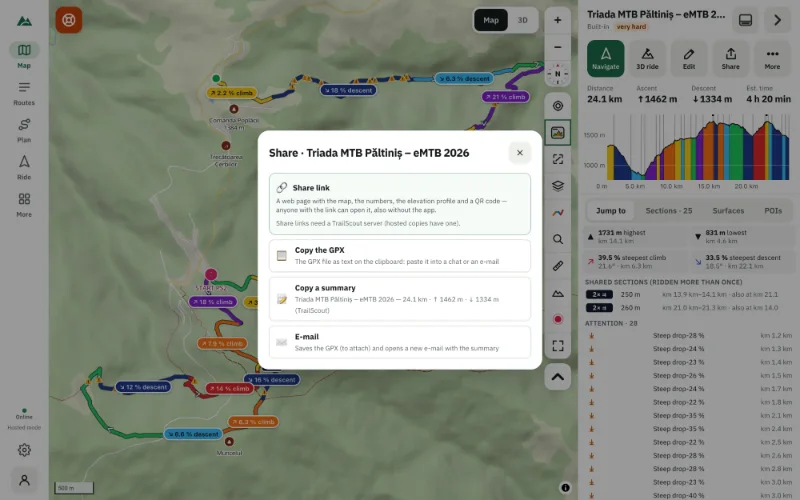
Share sends the GPX, copies a summary or saves the file. With an account you can keep recordings on all your devices. See how to export a route as GPX.
Frequently asked questions
Does recording use mobile data?
No. GPS works without data. The map needs tiles — download an offline area to avoid data use.
Why are there gaps in my recording?
Usually the screen was locked or another app was in front. Keep TrailScout on screen while recording.
How accurate is the distance?
As accurate as the phone's GPS, typically a few metres per point. Heights from phone GPS are noisy; switch the recording's elevation source to Terrain for clean climbing figures.
Can I record a hike or a run?
Yes — the recorder doesn't care how you move. The speed-based estimates are tuned for cycling.
Try it on your next ride
TrailScout is free, needs no account and keeps your routes on your device. It runs in the browser on phones, tablets and computers — and works offline.
Open TrailScout →