How to Plan a Multi-Day Bikepacking Trip and Keep Every Day Together
Plan a long route, split it into days at towns and huts, check water, weather and climbing per day, take it offline and record each day into one trip.
Quick answer
Draw or import the whole trip in TrailScout, then split it into days in the route builder (click a point → Split the route here) at towns, huts or campsites. Put the days in a collection, check each day's climbing, water stops and weather, and download one offline area along the whole corridor. On the road, record day 1 and use Add a day on the same recording each morning — every day becomes a stage with its own stats and the trip's totals.
Key takeaways
- Split a long route at the overnight stops so each day is its own route with its own profile.
- Plan each day around climbing, not distance: 1,000 m up can matter more than 30 km.
- One offline area along the whole route covers maps, terrain, 3D and the points of interest.
- Recording “Add a day” keeps a multi-day trip in one route, day by day.
A bikepacking trip is one big line on a map and several very different days. The planning question is always the same: where do I sleep, and is each day realistic with a loaded bike? Here is a practical way to plan it — and to keep the trip together when you ride it.
Step 1: get the whole line
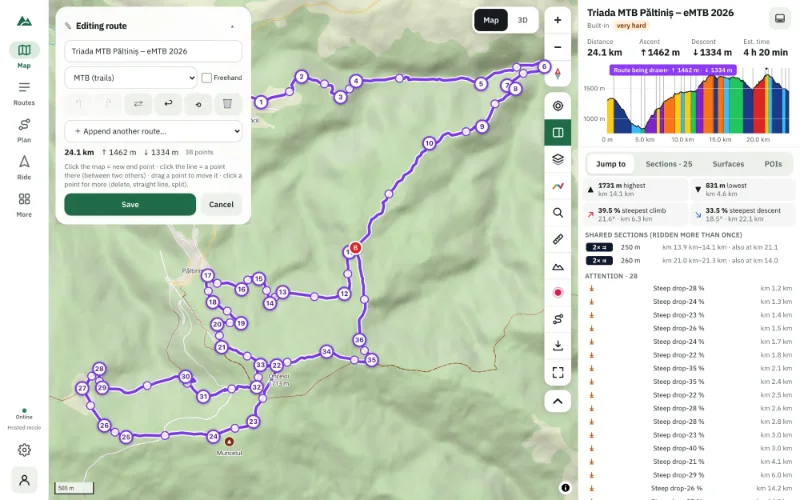
Draw the trip in the route builder with the Trekking or Gravel profile for a loaded bike, or MTB if the trip is on trails. Already have a GPX of an event or a known route? Import it.
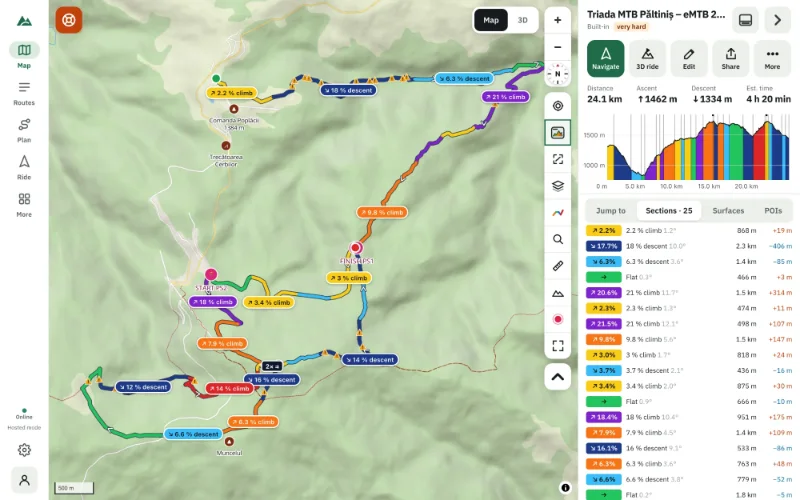
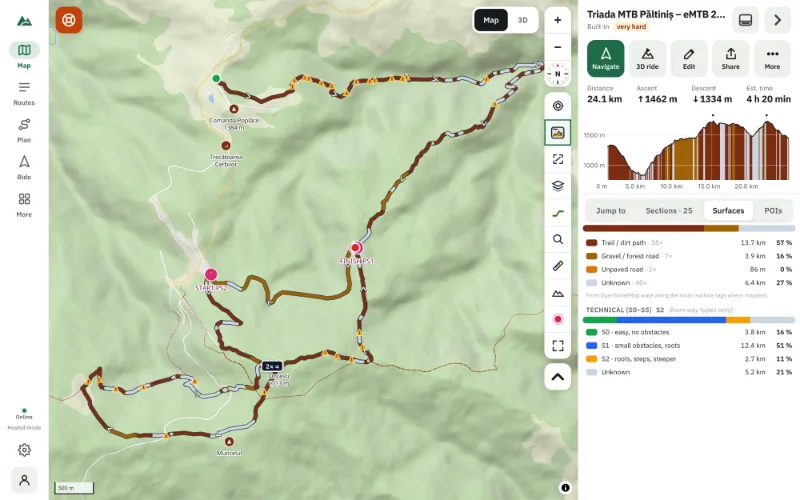
Check the whole route once: total distance and ascent, the biggest climbs, the surfaces.
Step 2: find the overnight stops
Open the POIs tab and look along the route for lodging, huts and shelters, water, food and shops. Widen the corridor (“Within”) if the route is remote. See how to find water and shelters along a route.
Tap a hut or a town on the map for its place card: distance along your route, the next water after it, opening hours where they're mapped.
Step 3: split it into days
- Open the route and press Edit.
- Click the point where day 1 ends and choose Split the route here.
- The second part becomes a new route; open it and split again for day 2, and so on.
- Name them “Day 1 — …”, “Day 2 — …”.
Step 4: keep the trip together
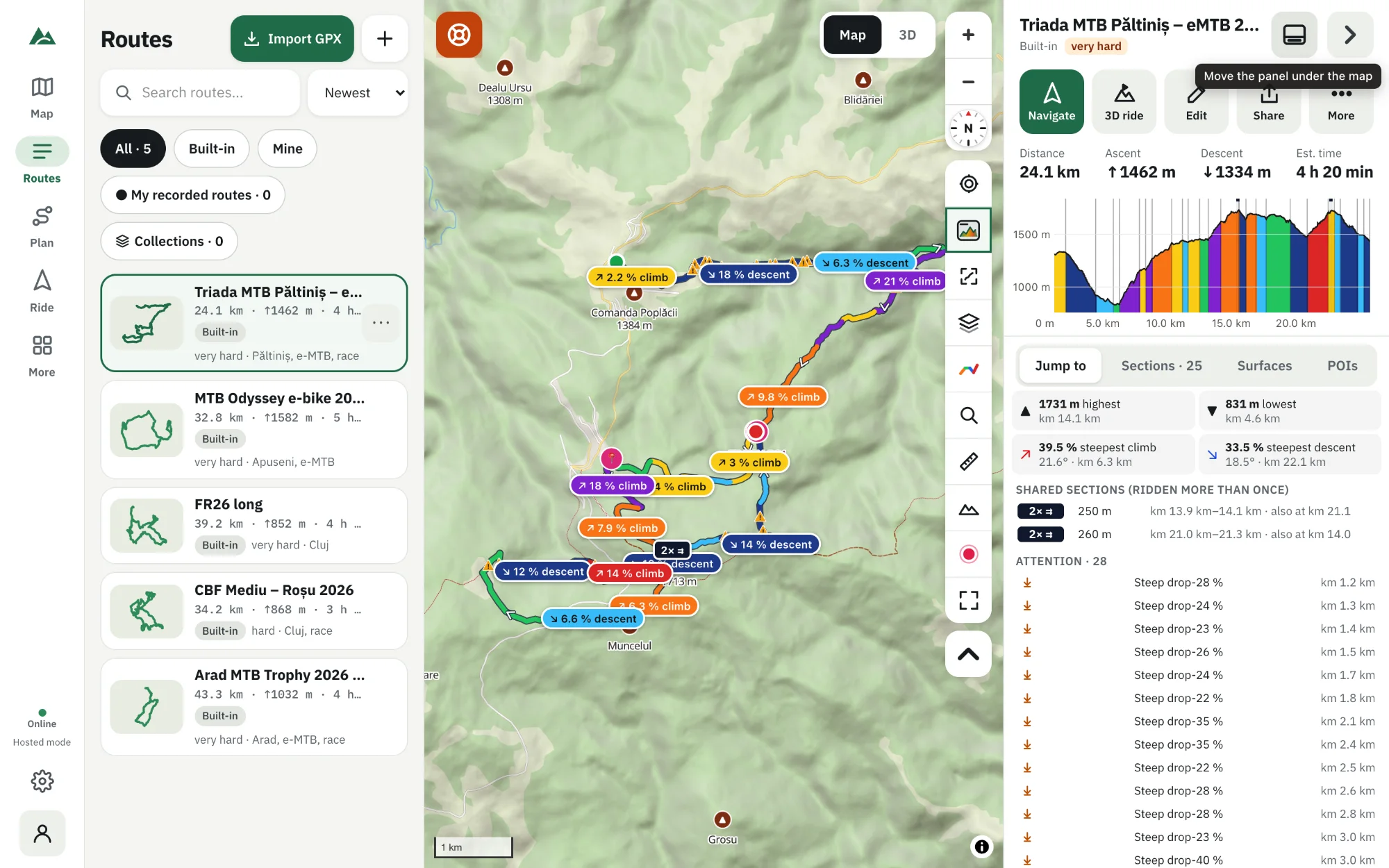
Put all the days in a collection — in Routes, ⋯ → Add to collection. Open the collection to see every day on one map, like the explore map. See how to organise routes in collections.
Step 5: check each day
For every day: the weather at the time you'll reach each part (forecasts go 10 days ahead), the difficulty, and whether you finish before sunset — the weather panel warns you when you'd finish after it.
Step 6: take it offline
Download one offline area around the whole route (or one per day): base map, terrain, map data, the 3D view and the points of interest along the route. Check your phone's free space — long corridors at high zoom are big.
Step 7: record the trip, day by day
- On day 1 press Ride → Record a ride and save it at the end of the day.
- The next morning, open the recording and choose Add a day (continue recording).
- Each day becomes a stage (Day 1, Day 2…) of the same route. The Days tab shows each day's distance, time and climbing and the trip totals. The gaps between days (the night) add no distance, time or climbing.
You can rename days and merge two days into one. See how to record a bike ride.
Frequently asked questions
Can I see all the days of a trip on one map?
Yes — put them in a collection and open it: every route on one map, in its own colour.
How long should each bikepacking day be?
It depends on climbing, surface and luggage. Many riders plan 50–90 km with up to 1,000–1,500 m of ascent; use the estimated time as your guide.
Does a multi-day recording work without signal?
Yes. Recording uses GPS only. Keep the screen on, as phones pause GPS for web pages when locked.
Can I share the whole trip?
Export each day as GPX, or back up the library to a .zip that contains a GPX of every route.
Try it on your next ride
TrailScout is free, needs no account and keeps your routes on your device. It runs in the browser on phones, tablets and computers — and works offline.
Open TrailScout →