3D Trail Maps vs 2D Maps: Which Helps You Plan Better?
When a flat map is enough, when a 3D view shows what a map can't — and how to use both together to plan mountain-bike and hiking routes.
Quick answer
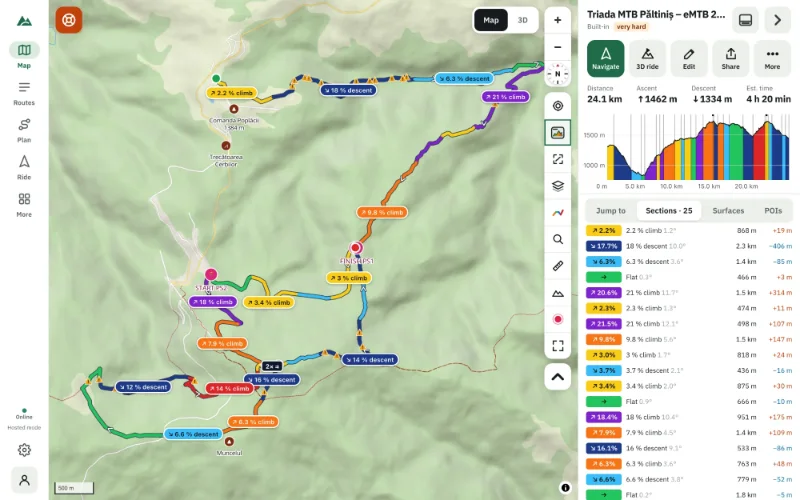
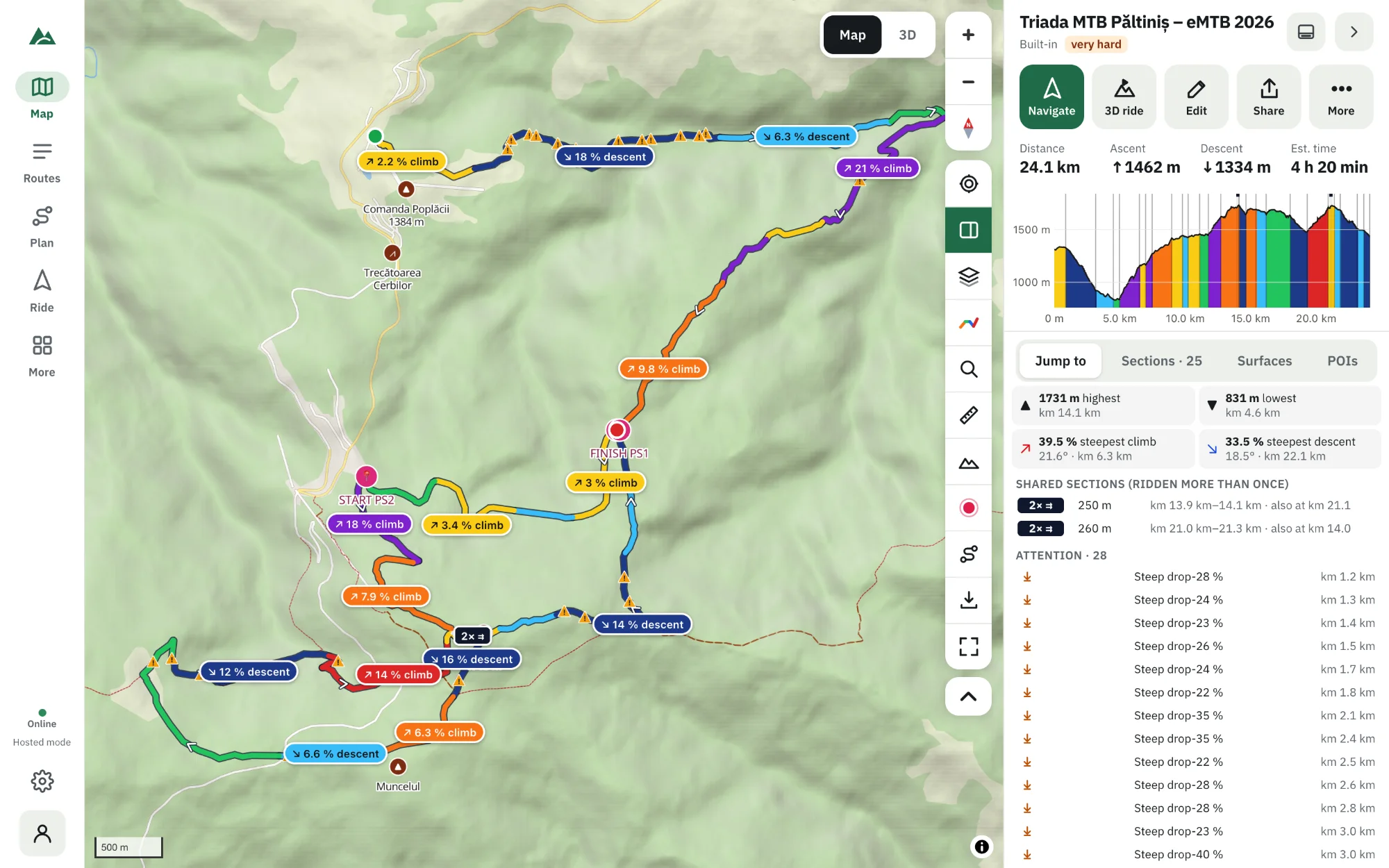
Use the 2D map for precision — trail names, junctions, distances, surfaces and route-finding — and the 3D view for understanding — how the terrain feels, which slopes face the sun, where the big views are and how the climbs fit together. The best plan uses both: build and check the route on the 2D map, then fly over it in 3D before you ride.
Key takeaways
- 2D maps are better for exact routing, junctions, labels and measuring.
- 3D views are better for understanding terrain, exposure, light and scale.
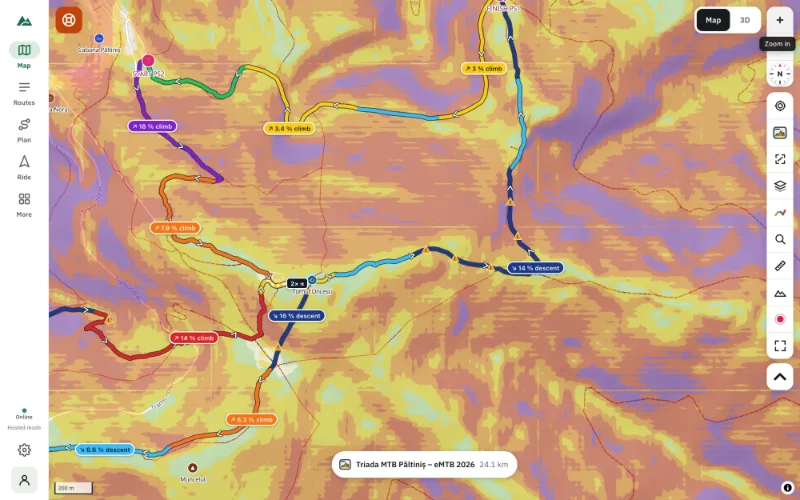
- Contour lines, hillshade and slope shading bring a lot of 3D information to the 2D map.
- TrailScout has both, linked: hover the profile and the marker moves on the map and in 3D.
Should you plan a ride on a map or in 3D? It's not either-or: each answers different questions. Here is what each one is good at, and a simple workflow that uses both.
What a 2D map does best
- Precision. Junctions, trail names, the exact line of a path, the distance between two points — the measure tool works on the map.
- Overview. A whole day's route fits on one screen, with labels that stay readable.
- Speed. A map loads instantly, even on an old phone, and uses less battery — which is why Bike GPS navigates on the map.
- Information layers. Surfaces, points of interest, avoid areas, offline areas, contour lines, slope shading.
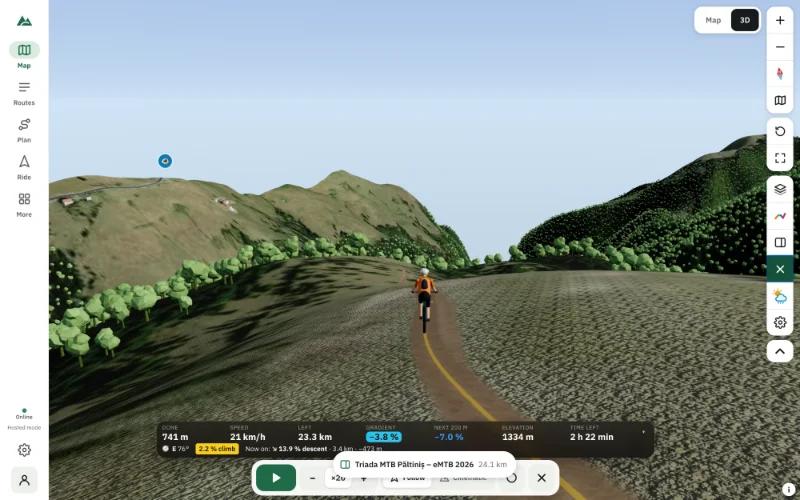
What a 3D view does best
- Understanding terrain. A ridge, a gorge or an exposed traverse is obvious in 3D and easy to miss on a map.
- Scale. You see that the “small” climb is 400 m of mountain.
- Light and exposure. With the real sun position you see which slopes are in shade, where you'll ride into the sunset, how much forest cover there is.
- Memory. A virtual ride stays in your head; route-finding on the day is easier when you have “seen” it.
Side by side
| Question | 2D map | 3D view |
|---|---|---|
| Which trail do I take at this junction? | best | good |
| How steep is the ground around the trail? | good (slope shading) | best |
| How long is it from A to B? | best | good |
| Is this traverse exposed? | fair | best |
| Where will the sun be at 18:00? | — | best |
| Works on an old phone, low battery? | best | fair |
| Offline | yes | yes (with an offline area) |
A workflow that uses both
- Build the route on the 2D map — draw it or ask for A → B suggestions.
- Check it on the map: climbs, surfaces, difficulty, points of interest.
- Fly over it in 3D (V): the big climbs, the exposed parts, the views.
- Fix what you didn't like and save — the previous version is kept.
- Download an offline area and ride with Bike GPS on the map.
The best of both on the 2D map
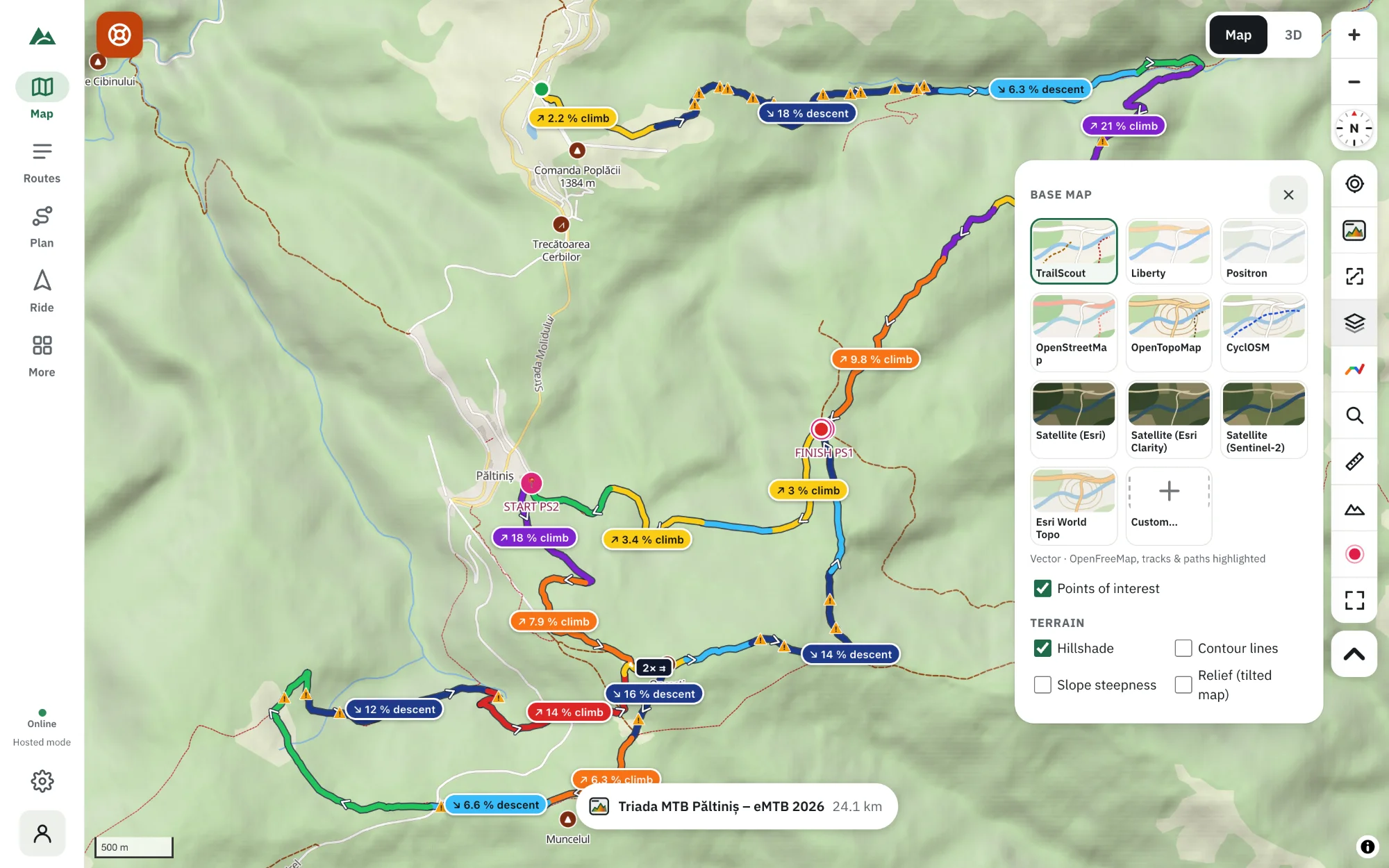
Turn on Hillshade, Contour lines and Slope steepness under Maps & terrain, or Relief (tilted map) to tilt the 2D map over the terrain with right-drag or two fingers. You keep the map's labels and speed with much of the 3D information.
Frequently asked questions
Is a 3D map more accurate than a 2D map?
Both use the same terrain and map data. 3D is easier to understand; 2D is easier to measure and read precisely.
Can I navigate in 3D?
Bike GPS has a tilted “3D” map view that turns with you, like a car navigator. The full 3D scene is for planning and previewing.
Which is better on a phone?
The 2D map for riding and navigation; the 3D view for planning at home or at the trailhead.
Do I need a powerful computer for 3D?
No — any recent phone or laptop with WebGL 2 works. Lower the quality under ⚙ Graphics on older devices.
Try it on your next ride
TrailScout is free, needs no account and keeps your routes on your device. It runs in the browser on phones, tablets and computers — and works offline.
Open TrailScout →